Graphic
Specifications
A
portfolio is required for many of things, whether you’re applying for
University. getting a job or showing examples of your work to a client. I'm going to be explaining different aspects of what goes into making your
portfolio the way you what it to represent you. You’ll be looking at, page
templates, file formats, printing, saving, audience needs and visual styles.
Page
Templates
The
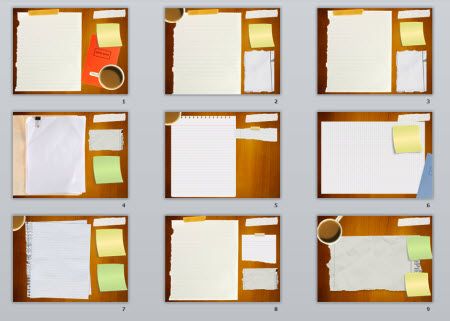
purpose of having a page template is to keep the examples of your work all in
the same place and in a similar environment on every page. Also when you create
your own page template, it shows your skills in what you can do and also it can
represent your personality if you create it using colours and shapes that
represent you.
You
should always plan your template by drawing out plenty of sketches before
creating your final template, this means you’ll be using a lot of paper before
you finalise your portfolio, but it also means you may get a better job or have
a better chance of getting into your University of choice. You also would be
doing this because it will give you a sense of direction so you know where you
will be placing things when creating your final portfolio.
When
creating the template, you’ll have to think about the locations of your
content, so you’ll have to be thinking where they need to be located to get the
desired effect and also shows your best work to the reader. It’s also best to
think about how much work you’d be able to fit on the page so you can the most
out of your page.

File
Formats
When you've finished creating your portfolio you need to think about the best
possible way for saving it, so you’ll have to be using the correct file type to
get the best possible quality and avoid distortion in the photos. When you
first create a project in Adobe Photoshop or other editing software you’ll need
to make sure that the Resolution is set to 300DPI (Dots Per Inch) this is
because you’ll be printing it and it will not lose quality when printing it. Now
you need to make sure you choose the right file type when saving, I've already
spoke about different file types and what you use certain ones for in another
post on this blog. I’d suggest you’d probably use JPEG when saving it; this is
because you’d be getting the best quality of image. You’d not want to use
something such as a PNG or GIF although these have low file size, they also
lose image quality and do not give the best print and are to be used on
something like a website. When creating your pages you will have to think about
the content of the pages, as you’ll need to figure out the best settings when
saving, whether it is a photograph, still or a digital image.
Printing
When
you’re creating the page template you’ll have to make sure that you’re using
the correct image mode. Since a printer uses the CMYK (Cyan, Magenta, Yellow
and Black) colour mode you’ll have to select that. Make sure that it’s selected
as usually the default one in your editing software is RGB which is standard
for a computer monitor. Also when creating it you’ll have to make sure that
your resolution is set to 300DPI as this is the standard printing resolution
and gives the best quality when printing. You also need to print the same size
as your portfolio folder, so if you’re using an A3 folder you’ll need to print
on A3 paper and the same for A4.
Saving
Saving
your project is probably the most important thing ever! You’ll need to make
sure that you keep saving it just in case your program/computer crashes and you
lose all of the things you have done. To save in Adobe Photoshop you can just do
“File>Save” and find a location to save and then just keep doing that every time
you need to save or to save time you can just do “CTRL + S” which is the
shortcut for “File>Save” and do that every time you need to save.
Audience
Needs
The
portfolio that you’re creating is for people to read and get an idea of who you
are and what your abilities are. So you will need to think about who will be
reading it, so they’ll need to be able to read it clearly and understand it
easily. So when you’re writing up things in the portfolio use simple language
that everyone will understand as not everyone will understand the same thing,
so if you use technical language within it and you’re sending it to a client
that doesn't understand the technical side of the project he’s asking you to do
he will not understand the descriptions. You should also avoid using slang
words and shortened words as this will show to be unprofessional and not set a
good example for you. I’d suggest using a text editor that is capable of spell
checking your work to make sure everything is correctly spelt. Also get a
friend or a family member to read through it to make sure that it makes sense
and is clearly understood.
Visual
Style
When
you’re creating your Portfolio page templates you’ll have to consider it’s
visual style, this means how it looks. So you’ll be taking into consideration
it’s colour theory, alignment, shape theory (gestalt), optical balance, typefaces
(Sans Serif, Serif), technicalities-guides and Law of Continuity/Proximity. If
you looking into your colour theory, it’s best to get a colour that represents
your personality, each colour has a different meaning, and you can find out
what your colour is by looking at this website. If
you find out what your colour is try and use that throughout the template. You
also need to consider shape theory, which is where you look at different shapes
and could be used to director people a certain way. So if you were to use an
arrow and it points to the bottom right, it could say that you want the person
to turn over to the next page. Look at how your alignment comes into play as
you’ll need all the content to be aligned correctly to make it flow and make
sure it’s easily seen for the reader. Consider what Type Faces you’ll be using
whether it’ll be Sans Serif or a Serif font, you’ll want to choose
the best looking font and what flows with your designs. You’ll probably want to
choose a Sans Serif font as this is a simple but contemporary font other
than a Serif font which is an old style font.


0 comments:
Post a Comment